LinkedIn Profile Optimisation For Beginners – 2025 Guide
LinkedIn Profile Optimisation for Beginners - 2025 Guide
By Jacques du Toit, Founder of Leap Digital
If you’re a business owner, freelancer, job seeker, or just someone trying to build a name online, this guide is for you. Whether you’ve just started using LinkedIn or you’ve been lurking for years, we’ll show you the basics that make a big difference.
It’s easier than you think. I’ve spent months learning what has worked for me on the platform. This guide is a simple, beginner-friendly version of what I’ve taken from some of the most popular profiles on LinkedIn, expert resources, and well-known coaches like Jasmin Alić and Chris Donnelly.
Since applying these best practices, I’ve grown my audience by 90%, increased my profile views by 30%, and opened some interesting opportunities in just two months.
This guide isn’t about shortcuts or tricks, but practical steps you can use to position yourself and your business as a solution to your ideal clients or customers.
Why Your LinkedIn Profile Matters
Think of your LinkedIn profile like your digital business card and portfolio rolled into one.
Most people set up their profile once, and never touch it again. If you do it right, your profile can:
Help ideal clients find you
Help ideal employers find you
Show what you do in a clear, friendly way
Get people to take action (like clicking a link or booking a call)
Now let’s break it down into 7 simple steps.
1. Perfect Your Headline
Your headline is what people see first. It’s visible next to your name and in every comment you leave.
Goal:
Make people want to click on your profile.
What to Do:
Be clear, not clever.
Say who you help and how.
Use keywords your audience might search (like “web designer,” “copywriter,” “SaaS founder”).
Example:
❌ “I empower people to find more value.” (Vague)
✅ “I help business owners reduce overheads by 200% | Financial Consultant” (Clear + powerful)
💡Tip: Use the first 45 characters wisely. These show up first.
Example of a LinkedIn headline by Jacques du Toit
2. Design a Banner Image That Sells
Your profile banner (the big image at the top) is a billboard. It’s the largest visual piece on your profile. It needs to be used effectively.
Goal:
Reinforce what you do and tell people what to do next.
What to Include:
What you offer
What sets you apart
A strong call-to-action (CTA) like:
“Book a free strategy call”
“Download your free guide”
Your brand colours and logo (if applicable)
Use Canva to create one quickly, even without design skills.
Example of a Linkedin banner image by Jacques du Toit
3. Add a Clickable Profile Link
LinkedIn lets you add a clickable link at the top of your profile. This is an opportunity to guide your prospects to take action.
Goal:
Send people to the next step in your sales process.
Ideas for Links:
A Calendly booking link
A free PDF or opt-in form
Your website’s services page
Use the classic “blue link” option with a link text label that matches the end destination. For example, a link labelled “Book a Discovery Call” should send the user to a booking platform.
Example of a clickable link in a LinkedIn profile
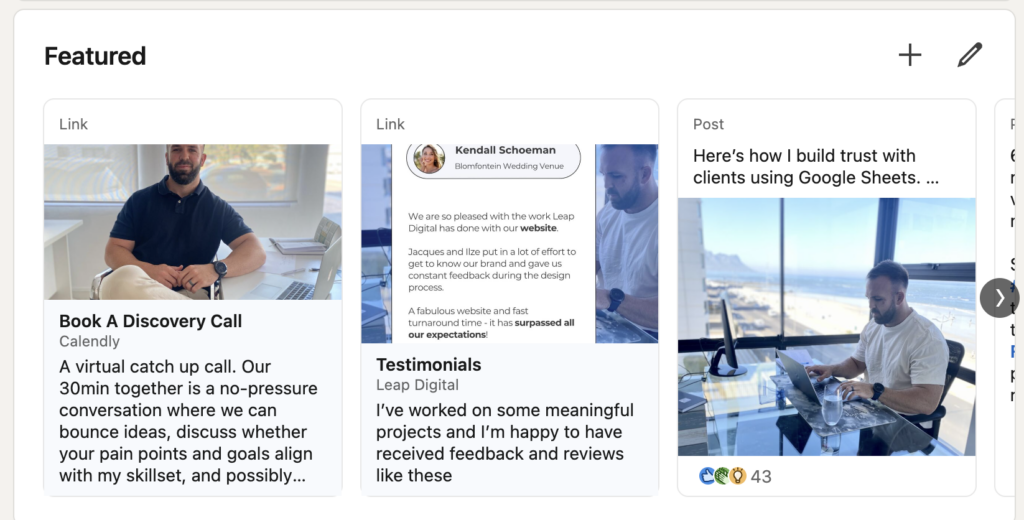
4. Use the Featured Section
The featured section sits just below your “About” section. It’s one of the most powerful ways to show what you offer.
Goal:
Let visitors see your best content and repeat your call-to-action.
What to Feature:
The same link you used in your banner and profile link (keep it consistent)
Testimonials
Free resources
Case studies
This helps create a “trust trifecta”: Banner ➝ Profile Link ➝ Featured Section
Example of a LinkedIn featured section by Jacques du Toit
5. Rewrite Your About Section (It’s Not About You)
Most people make the mistake of writing their “About” section like a CV. Instead, talk directly to your audience.
Goal:
Show you understand their problem, and that you can help.
Use This Simple Framework (PAS):
P – Pain: What’s the main struggle your ideal client has? A – Agitate: How is that pain affecting them? S – Solution: How does your service solve it?
Keep it short, clear, and focused on them. Then add your story or credibility at the end.
Bonus: Use keywords here too. It helps your profile show up in search results.
Example of a LinkedIn about section by Jacques du Toit
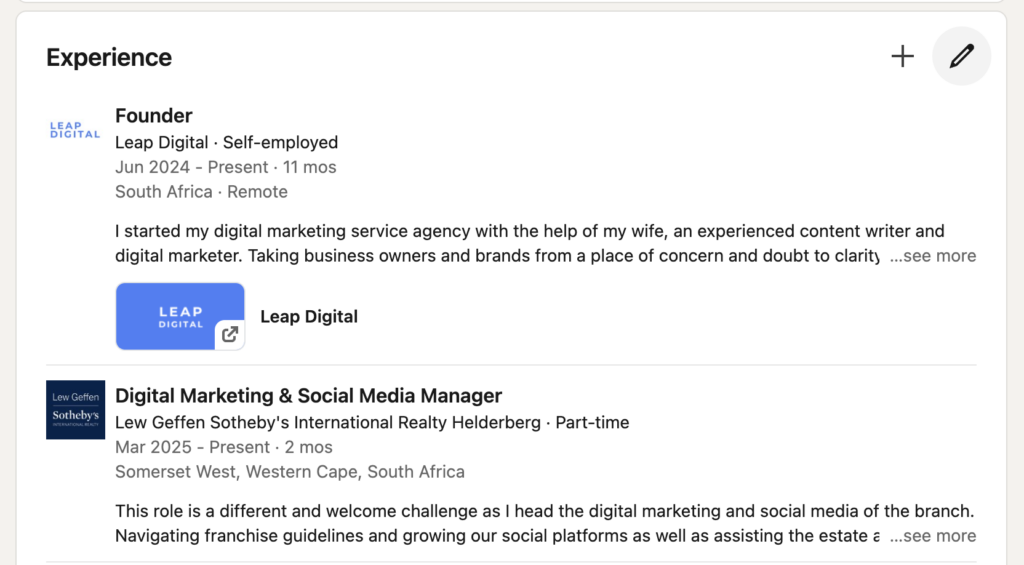
6. Make Your Experience Section Human
The experience section isn’t just for listing your old job titles. It’s a chance to tell your story.
Goal:
Build trust and connection through relatable stories.
What to Share:
Wins and results you’ve helped others get
Challenges you overcame
Why your past work makes you good at what you do now
Make it easy to read. Short paragraphs. No corporate jargon.
Example of a LinkedIn experience section by Jacques du Toit
7. Final Thoughts and Quick Tips
✅ Check how your profile looks on desktop AND mobile
🛠️ Update it every 3 months (especially if your offer or experience changes)
🖼️ Save client wins or testimonials as images. Then add them to your Featured section
⏰ Engage 10-15 minutes a day (leave helpful comments on posts)